
👀 Viewer Update: 🪑 Table View, 📈 EV Matrix, 🗂️ Multi-Range Mode
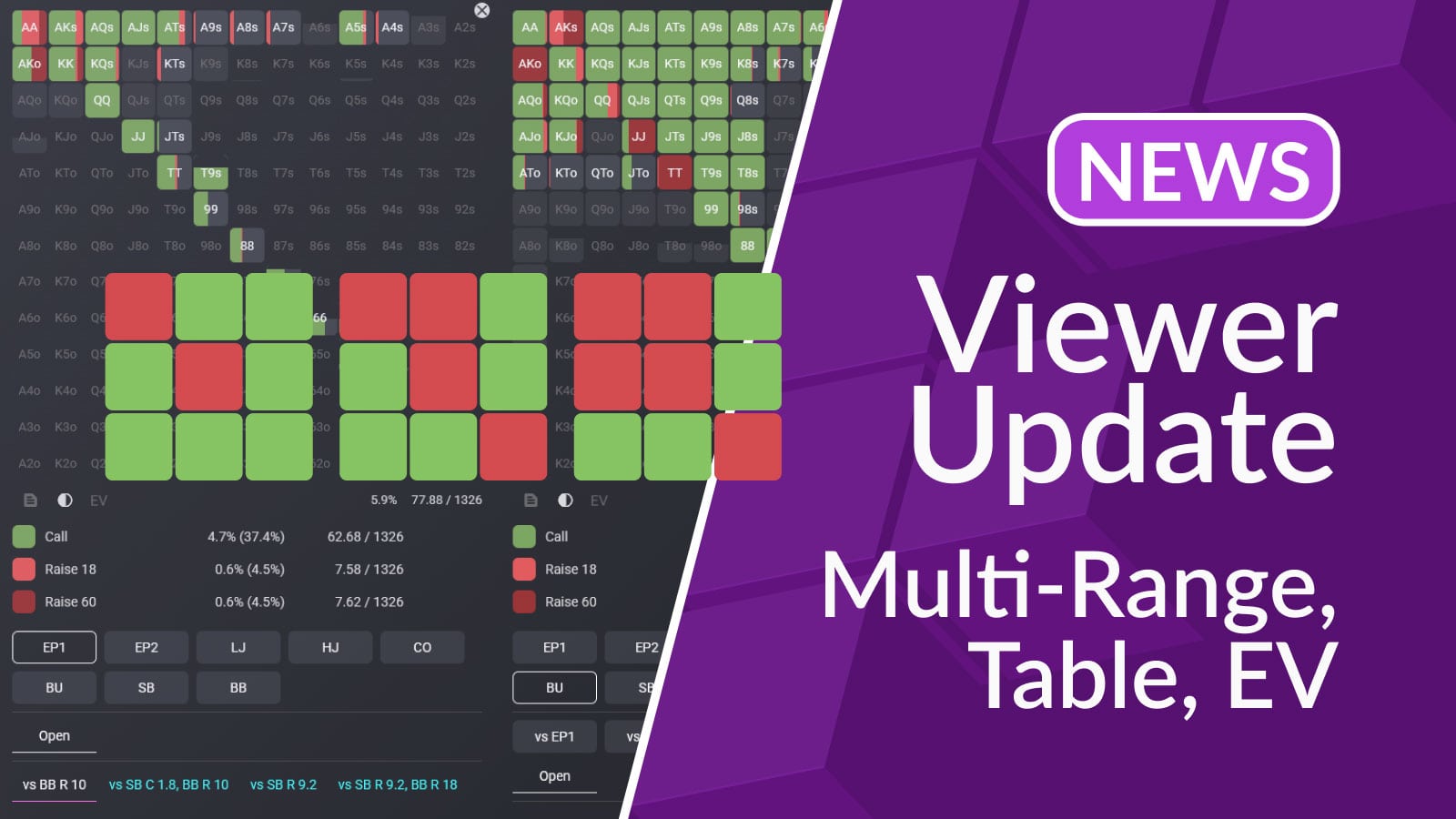
We’ve made a major update to the Viewer section. It now includes two modes:
- **Single-range mode **— the classic Viewer you’re already familiar with (but with new updates!).
- Multi-range mode — a brand new way to compare multiple ranges at once.
You can switch between modes using the icons in the top-left corner of the Viewer.
Single-range mode: Table view and EV matrix added
Single-range mode is the Viewer that all our users get to use to browse their strategy. We understand the importance of this section and made two major updates here: table view and EV matrix.
Table view allows you to visually see the specific poker table situation where a given range is played.
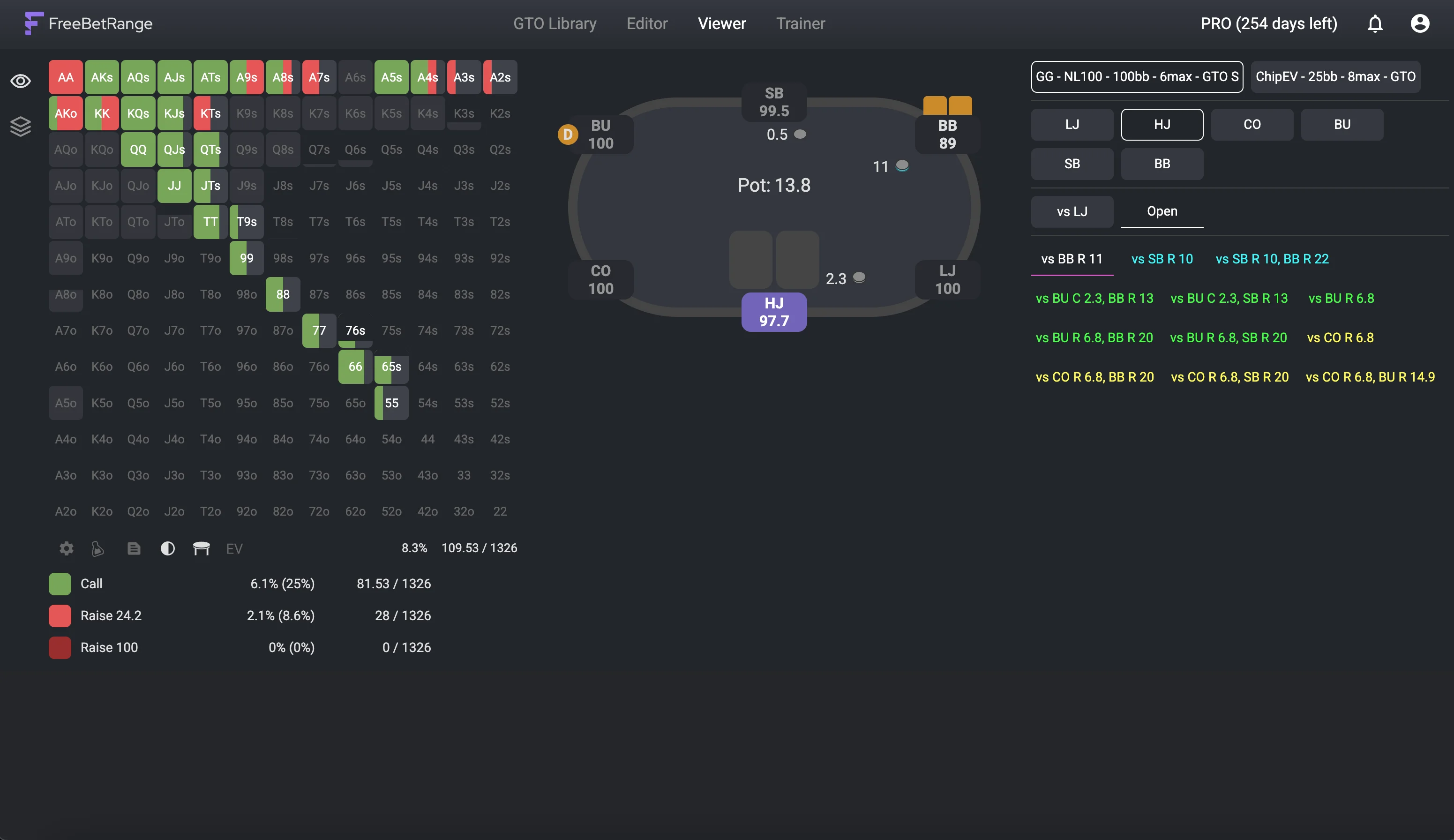
Range Viewer with Table View: HJ reaction vs BB 3Bet
Key facts about table view feature:
- Table view is available for all standard ranges and all GTO solutions from the Library.
- For your custom ranges, you’ll need to configure the table view for each range manually in the Editor.
- You can turn table view on or off with the “table” icon under the range matrix.
We’ve also added the option to display an **EV matrix **of a particular range.
Click the “EV” icon under the range matrix to switch from actions to the EV matrix. This mode lets you see the Expected Value of each hand in the chosen spot.
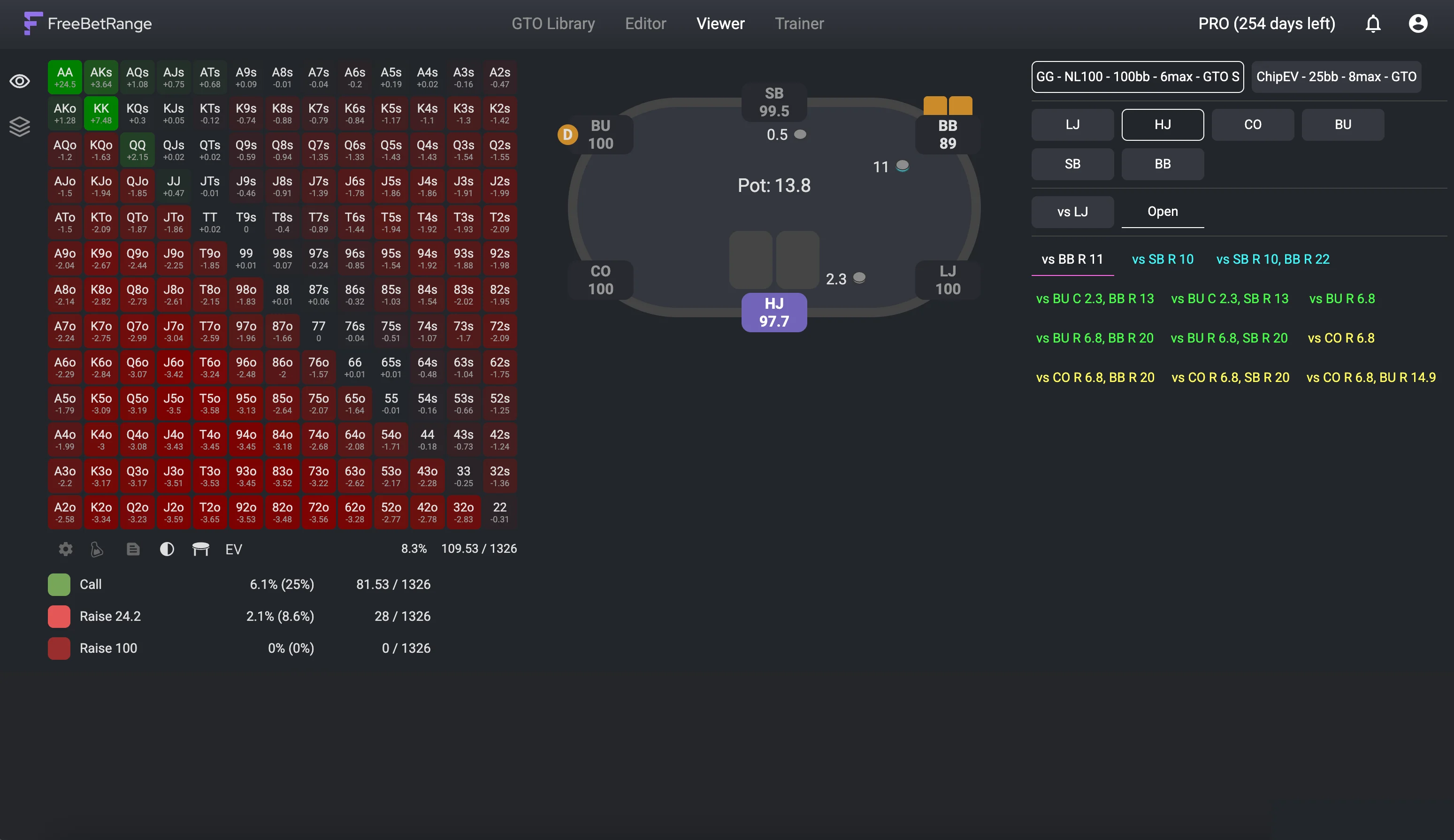
Expected Value of each hand in HJ vs BB 3Bet range
To go back to the actual range view, simply click the EV icon again.
Multi-range mode: new layout
Multi-range mode is a brand new way to compare ranges and see how your strategy changes in different situations.
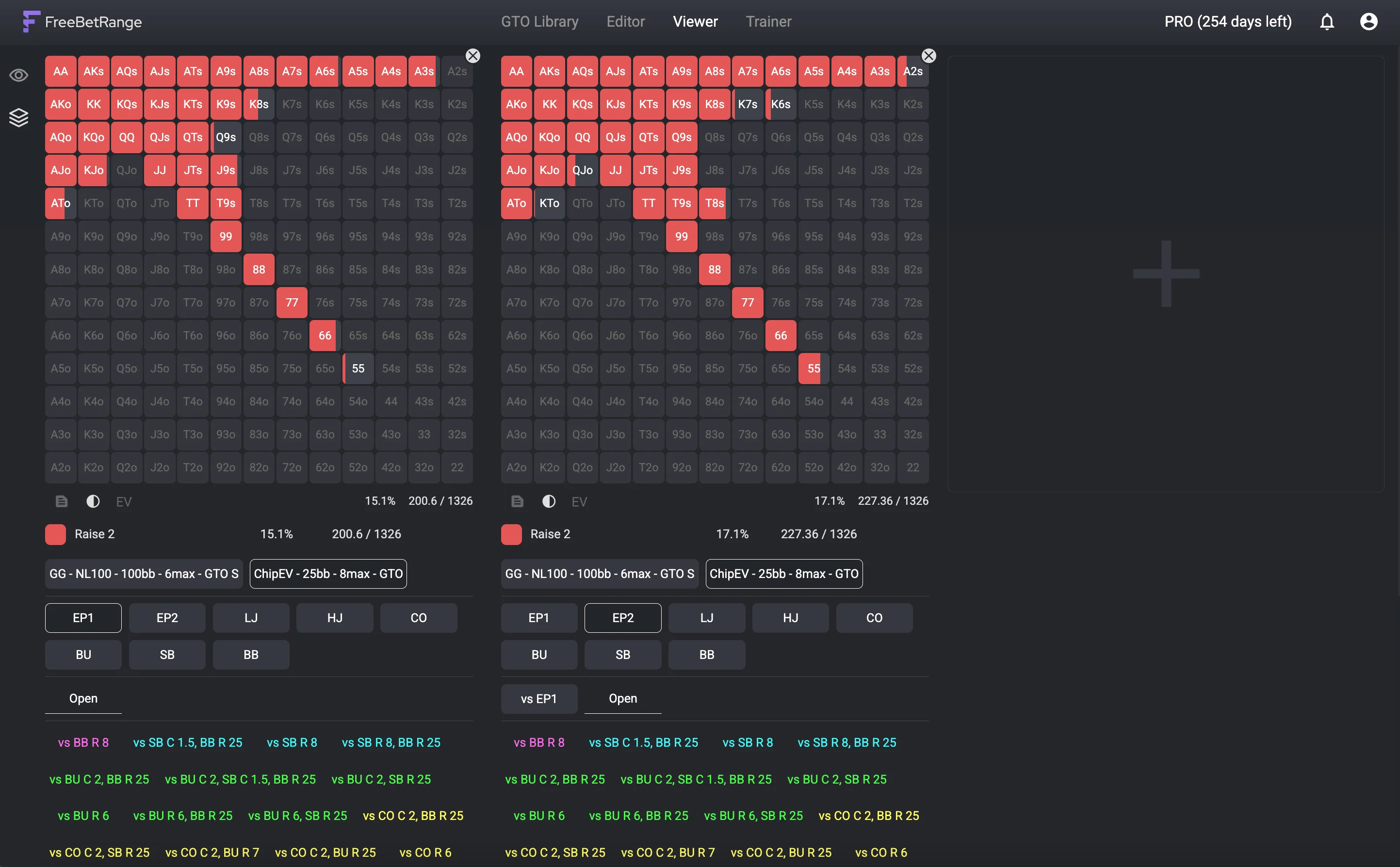
Multi-Range Viewer: Compare preflop ranges visually
You can open up to 6 ranges in a row. On large screens, you’ll see them all side by side. If they don’t all fit, just scroll left and right.
The interface is simple and intuitive. To add a range, click the [+] icon. To remove a range, click the (x) in the top-right corner of its matrix.
Each range has its own navigation panel, so you can quickly load any part of your strategy.
For example, you can line up** open-raise ranges from all positions** to clearly see how your opening strategy expands from early to late position.
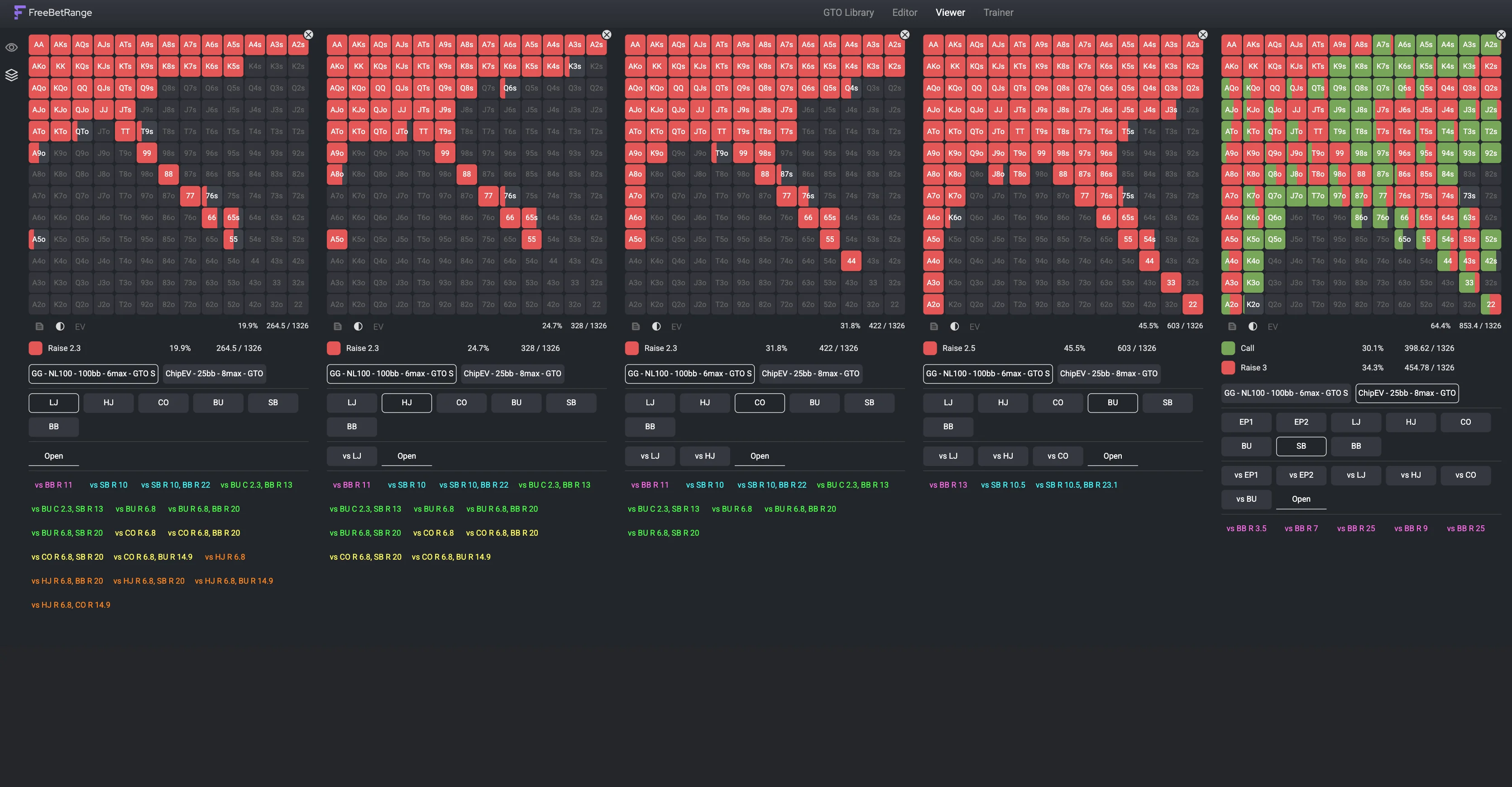
Open Raise charts for all positions in 6-max poker cash game
The app automatically remembers which ranges you had open and all layout settings. So even if you switch modes or leave the Viewer, everything will look exactly the same when you come back.
Conclusion
We hope you enjoy this update 🎉
Take a look at the **updated **Viewer manual as well – it contains a step-by-step description of all Viewer features and settings.
And join our Discord server — **we’d love to hear your feedback! **